
Preparation Before Trading
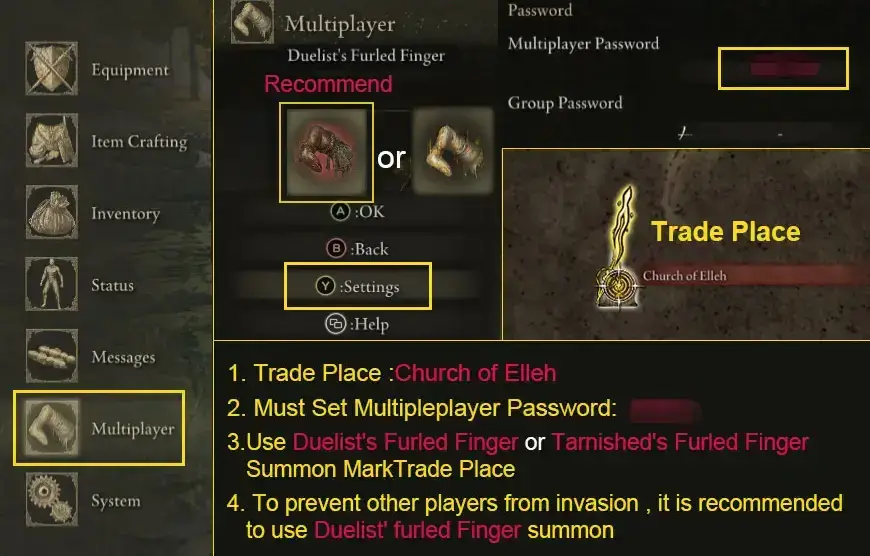
Before starting the trade, set a multiplayer password in your settings. We recommend using a 4–6 digit number to avoid interference from other players.
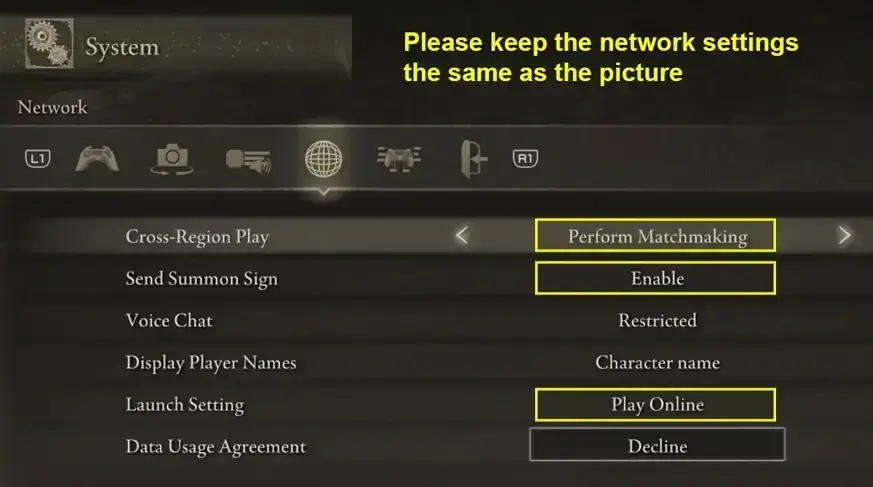
Fast & Secure Trading Tips
1. How Will I Receive My Order?
-
Place your summon sign near the Site of Grace at the Church of Elleh
-
Avoid hiding your sign in corners or behind objects
-
If all items are not delivered in one session, simply place your sign again after returning to your world. You will be summoned again to finish the trade.
2. How to Prevent Invader Interruptions?
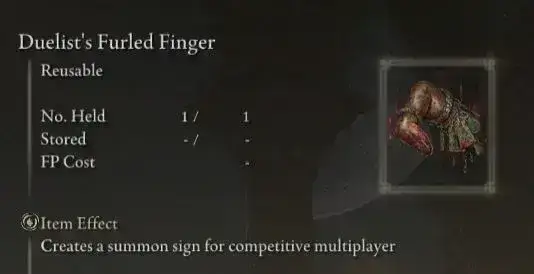
To minimize the chance of invaders, we strongly recommend using the Duelist’s Furled Finger, which limits unwanted invasions during trading.
How to Obtain Duelist’s Furled Finger:
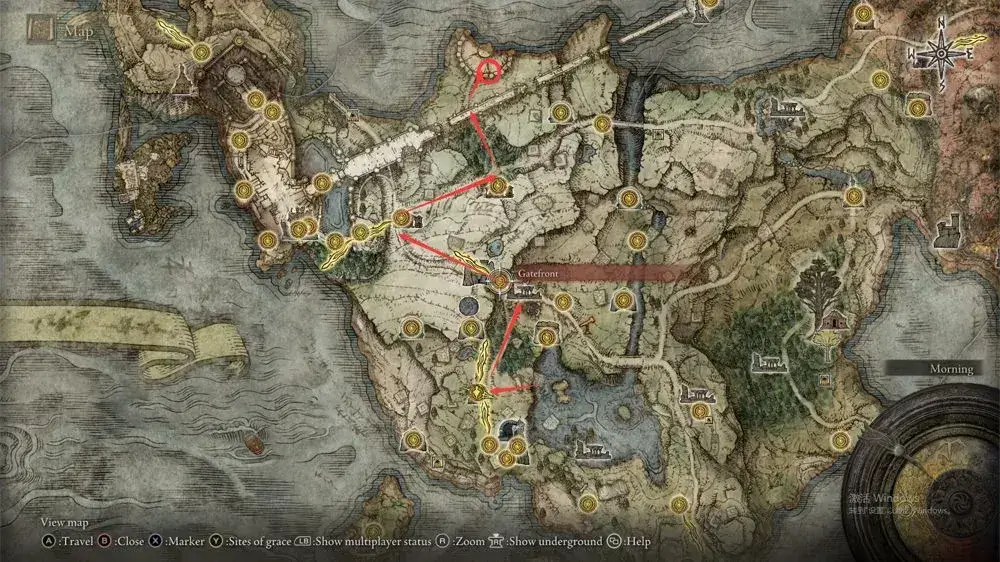
You can find it in the northern area of Limgrave, located on a burned corpse near the Frustrated Spirit.
3. Picking Up Items Faster
Equip a shield and enter a defensive stance while collecting items. This helps you pick up dropped items more quickly and smoothly.
4. Completing Large Rune Trades Efficiently
If you’re purchasing a large number of runes:
-
Pick up the runes
-
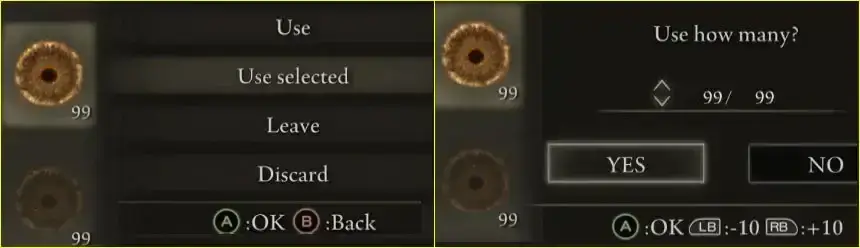
Open your inventory
-
Select Lord’s Rune
-
Choose Use Selected and consume 99/99 at once
After using the runes in your inventory, you can continue picking up remaining runes on the ground. As long as you don’t die or exit the game, the remaining runes will stay available.
Was this article helpful?
Yes / No
Need more help? Contact Online Support
Helpful | Thanks for your feedback!