
1. Sign in to your account at the official PlayStation website
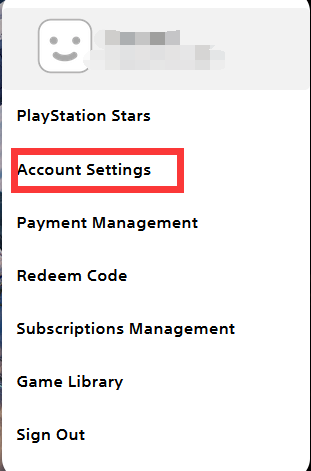
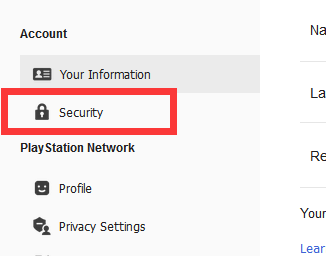
2. Open Account Settings and select Security
3. Locate the 2-Step Verification section
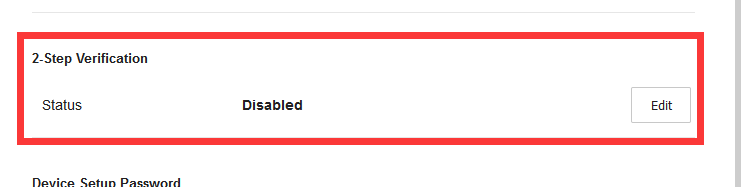
4. Turn on 2-Step Verification
Once enabled, your PSN backup codes will be generated automatically.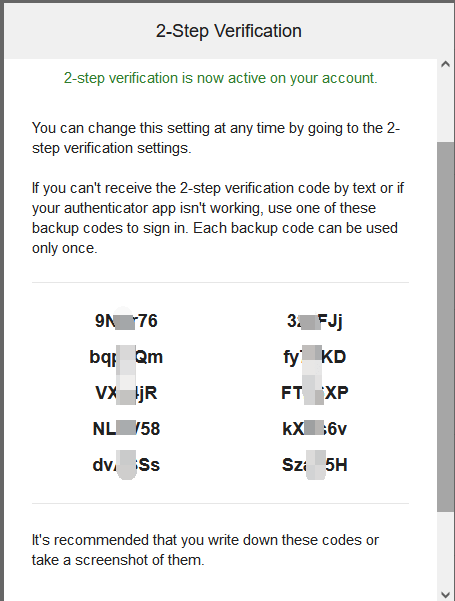
Was this article helpful?
Yes / No
Need more help? Contact Online Support.