
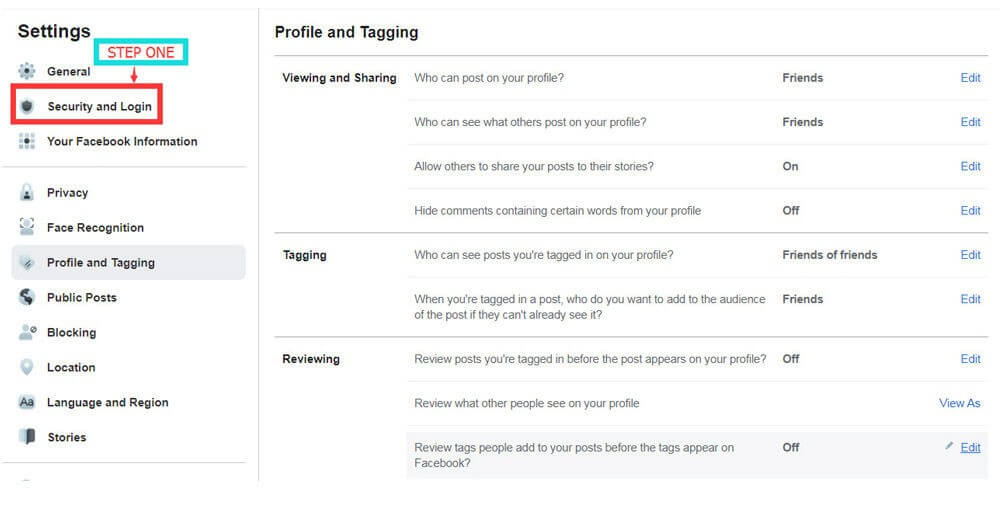
Step 1:
Go to Facebook Settings and navigate to Security and Login.
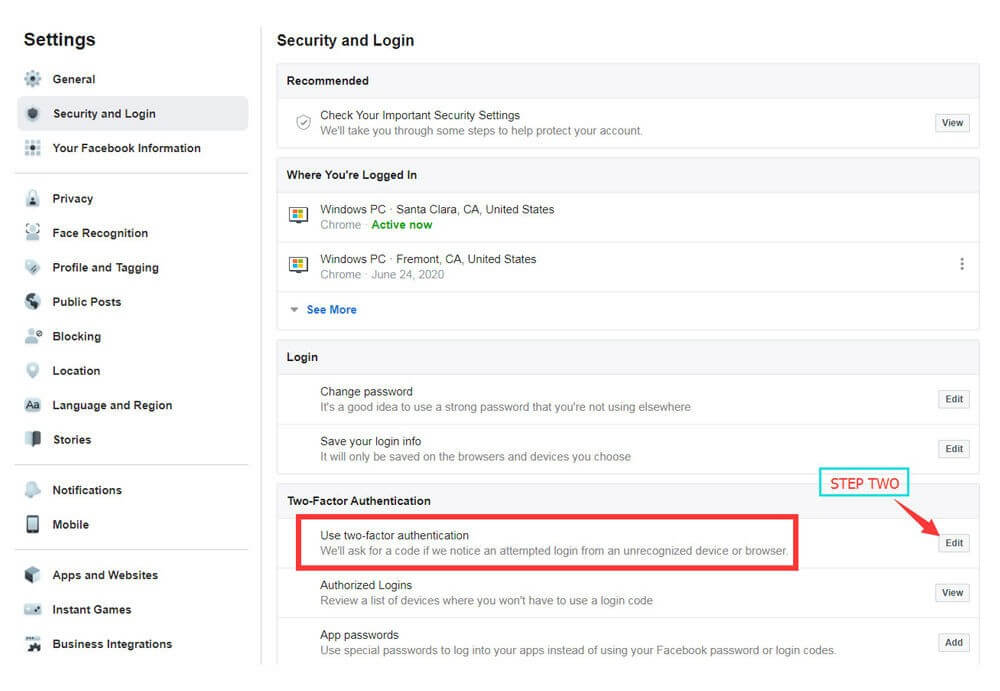
Step 2:
Locate Two-Factor Authentication and click Edit.
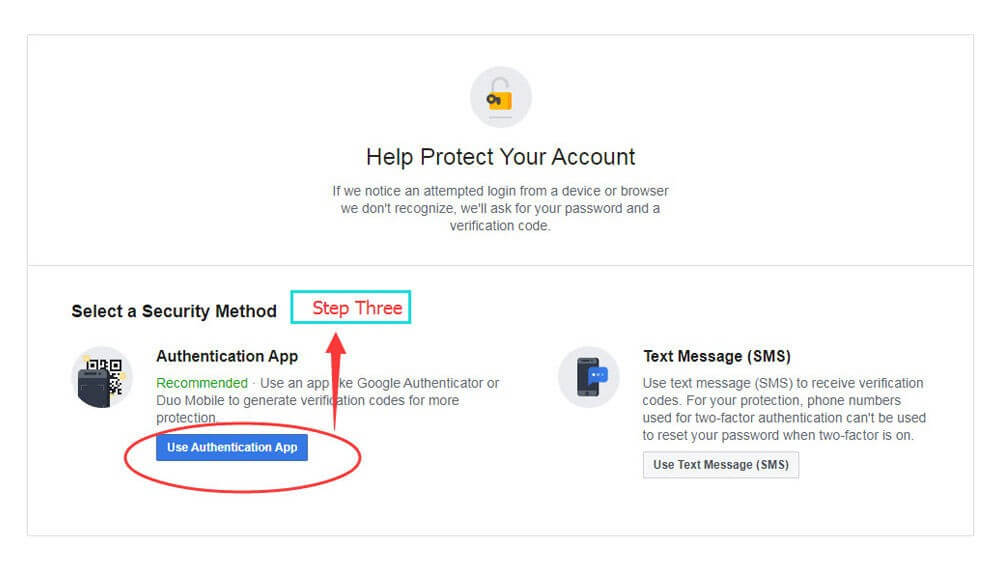
Step 3:
Select Use Authentication App, then download an authenticator app from your app store.
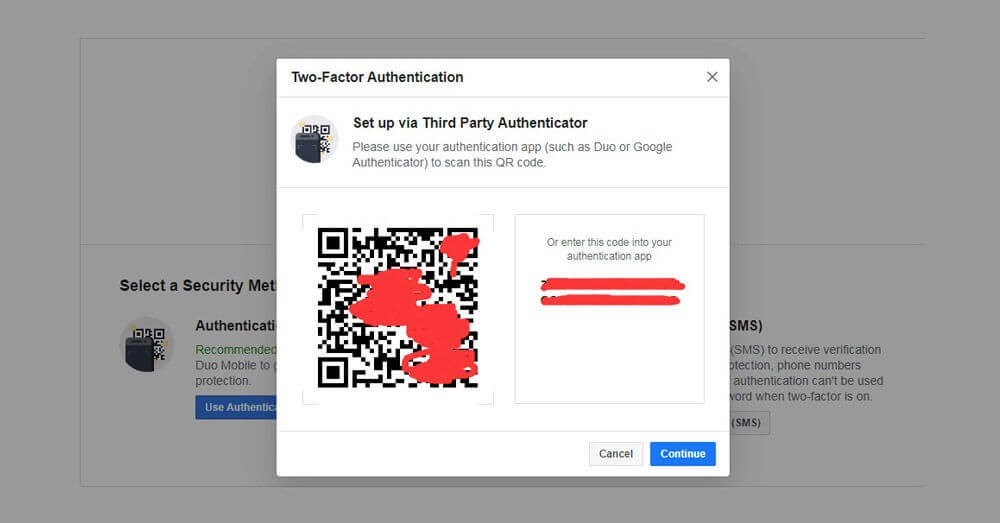
Step 4:
Open the authenticator app and scan the QR code shown on Facebook.
Step 5:
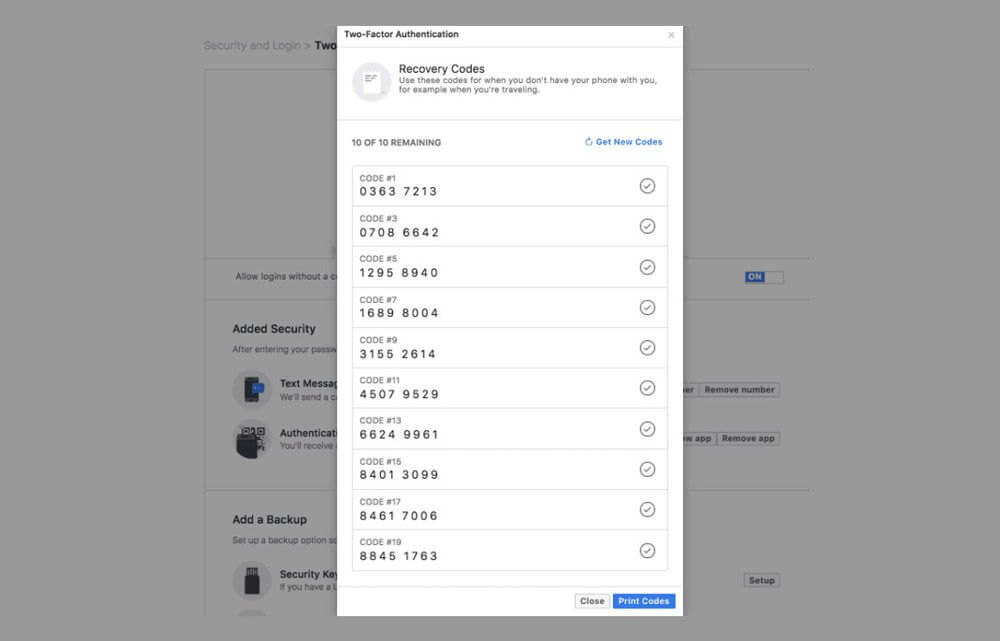
After setup is complete, you will receive your recovery (backup) codes.
Was this article helpful?
Yes / No
Have more questions? Online Support
Helpful | Thanks for your feedback!