

FAQS Details
How to Find Your Facebook Backup Codes?
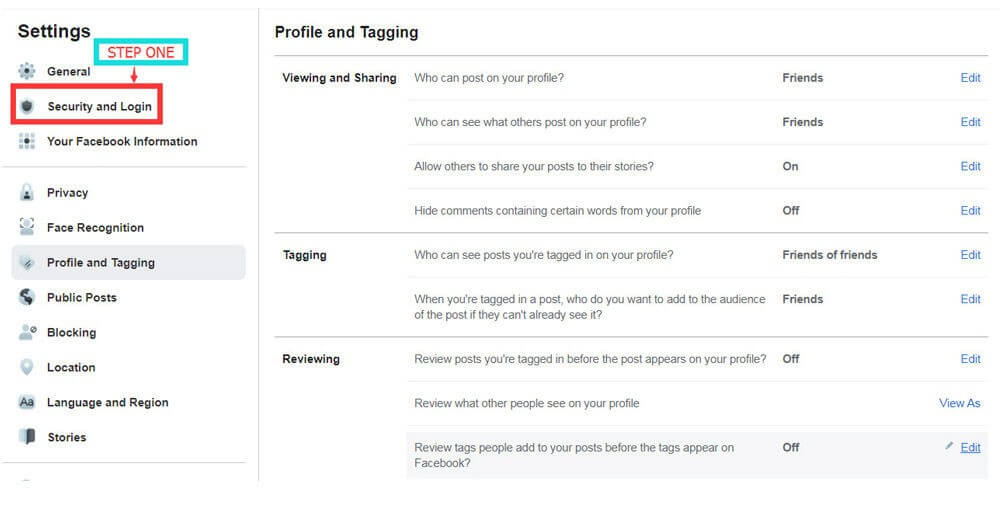
Step 1:
Go to Facebook Settings and navigate to Security and Login.
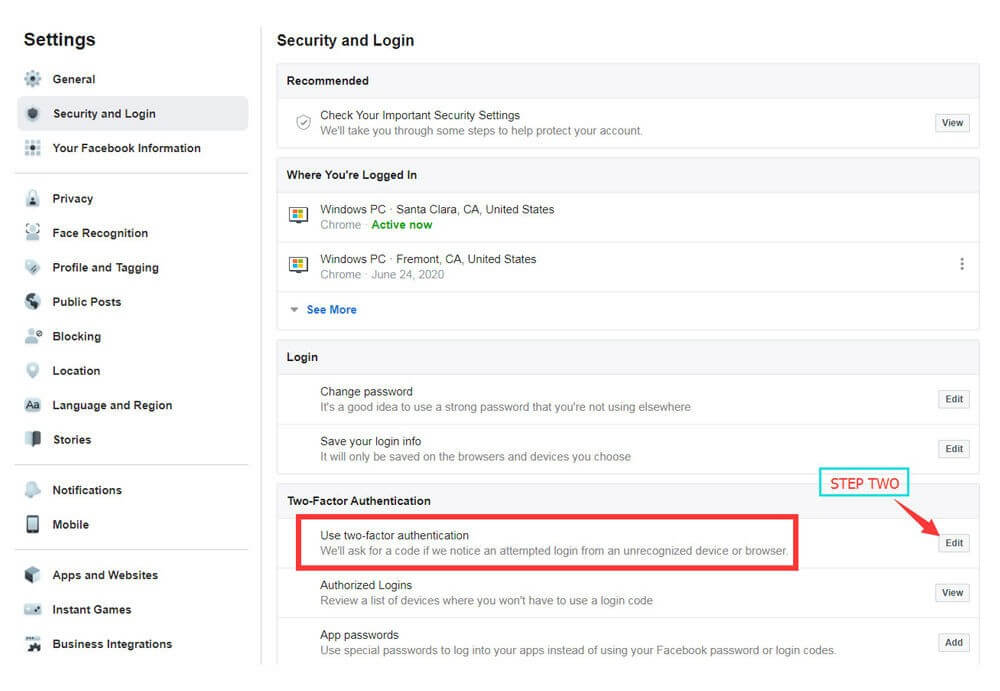
Step 2:
Locate Two-Factor Authentication and click Edit.
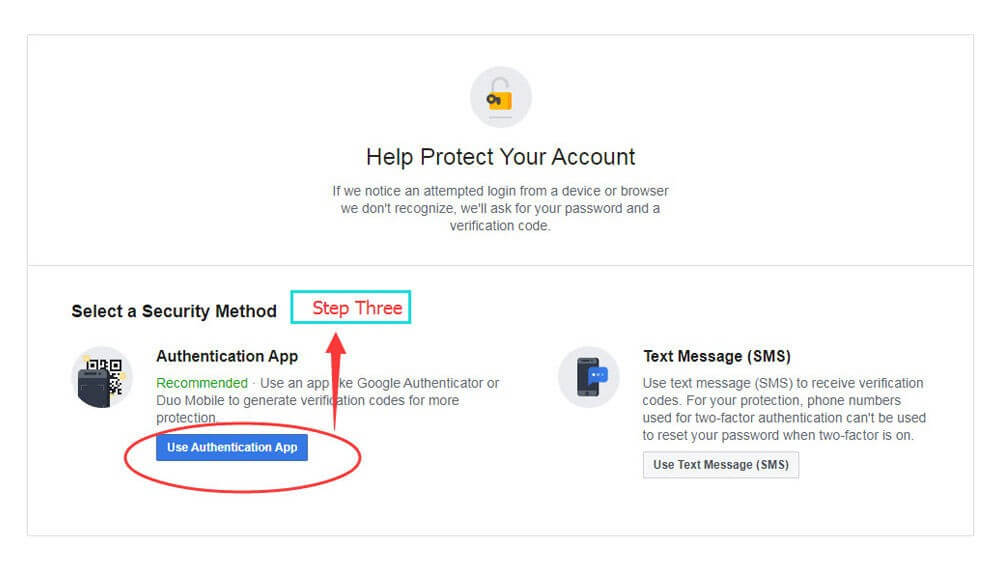
Step 3:
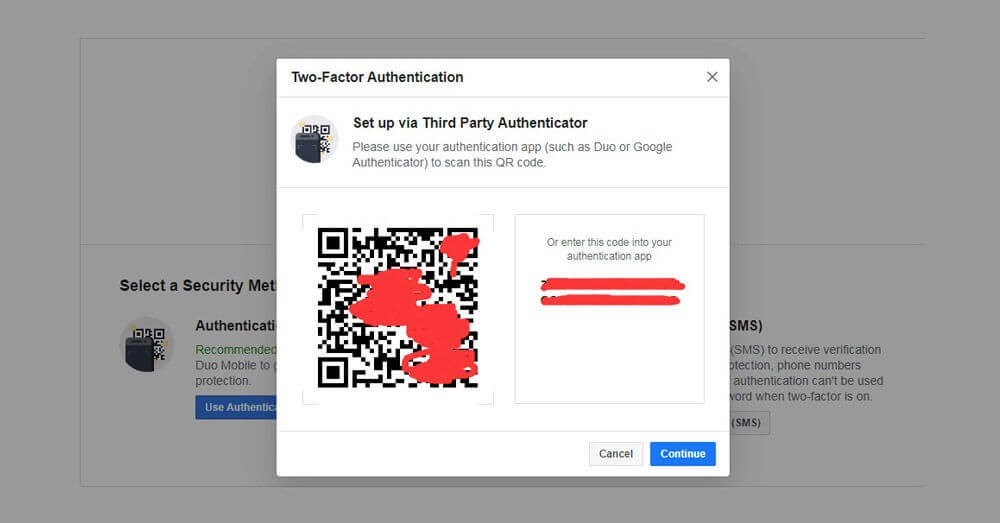
Select Use Authentication App, then download an authenticator app from your app store.
Step 4:
Open the authenticator app and scan the QR code shown on Facebook.
Step 5:
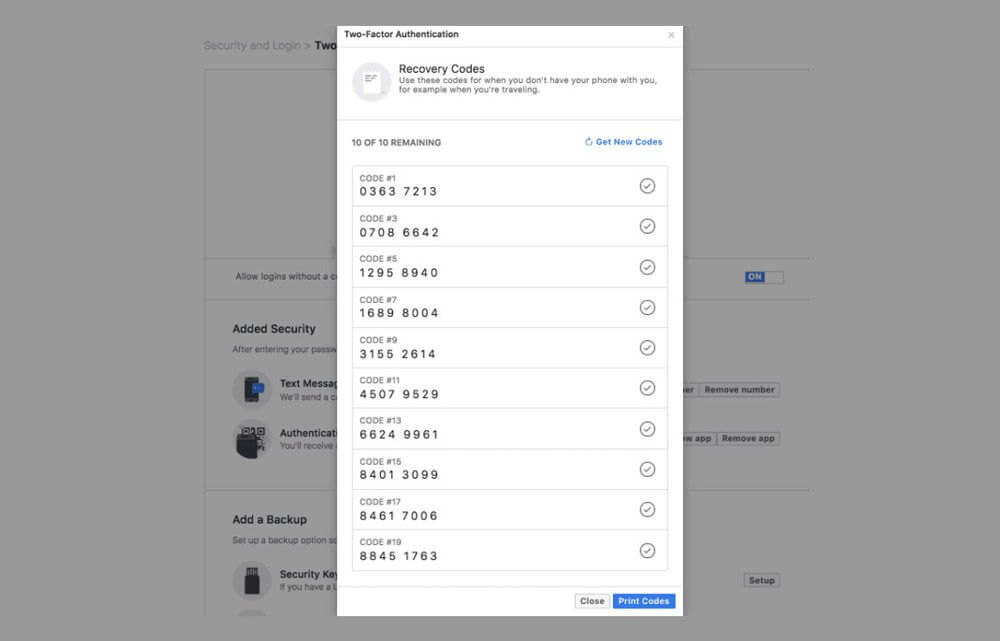
After setup is complete, you will receive your recovery (backup) codes.